Purpose
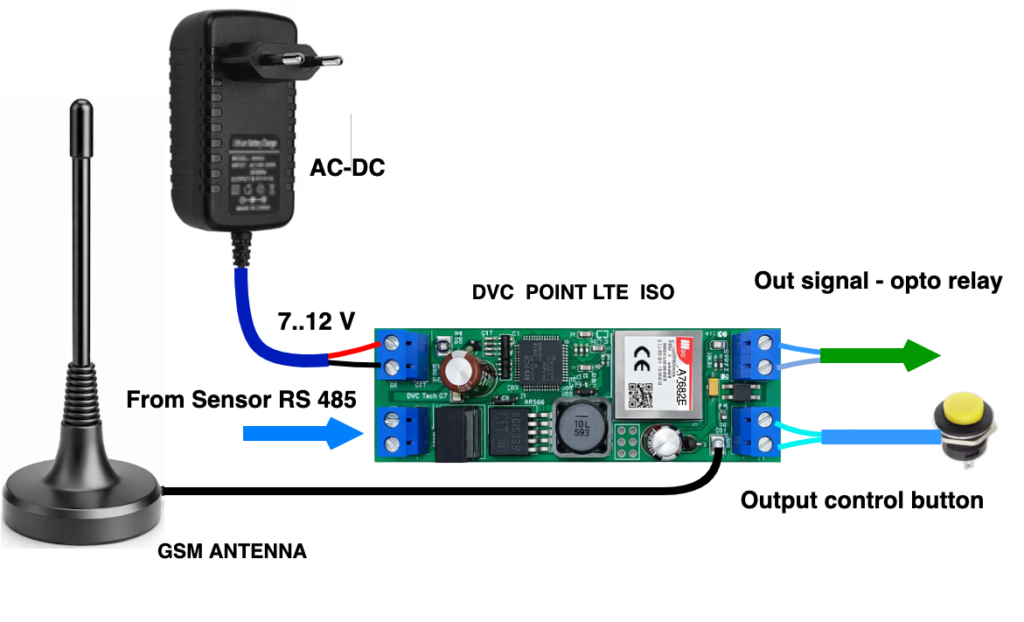
The Controller Command Console is designed to test data communication between the server, modem, and devices connected via the RS485 interface. It allows users to send commands to remote devices and receive responses through the modem.
The main purpose of the console is to help engineers verify that commands are transmitted correctly, check communication between all components, and debug the control protocol before integrating the modem into a project.
Communication Flow
Server → Modem → RS485 → Device → RS485 → Modem → Server
Example:
The server sends a command to a sensor connected to the modem’s RS485 port. The sensor receives the command and sends a response back to the server through the modem.

Testing Procedure
- Connect the device under test to the RS485 interface of a modem registered in DVC CLOUD MONITOR.
- Select the required modem on the Objects page.
- Open the Control panel page from the cube menu.
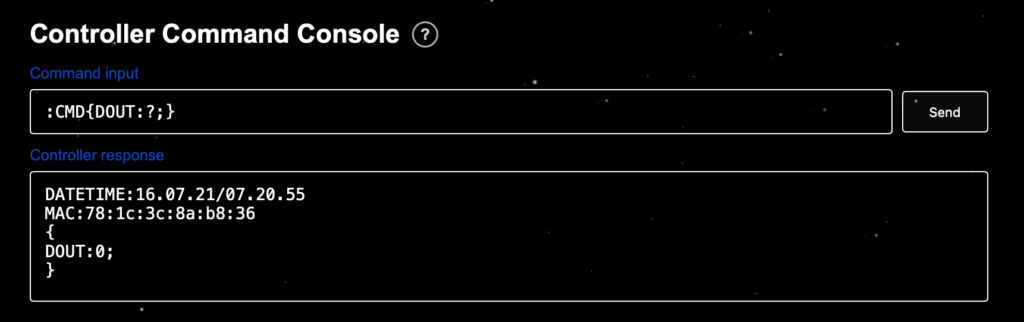
- Enter the command according to the device communication protocol to the command input field .
- Send the command.
Note: The default RS485 communication speed of the modem is 9600 baud.
- Check the Controller Response field:
- The received response can be copied and analyzed.
- If RS485 interface settings need to be changed, send the appropriate configuration command as described in the modem configuration manual.
Even if no device is connected to the modem’s RS485 interface yet, you can still verify the mode by simply sending a relay output status query command to your modem, as shown in the figure.
You can control the modem’s relay output using the buttons located above on this page and verify that the response matches the current relay state.
What Can Be Tested
- Server-to-modem communication.
- Data transmission through the RS485 interface.
- Correct device addressing.
- Command and response formats.
- Communication parameters such as baud rate, parity, and other serial interface settings.
- Correct implementation of the device control protocol.
Typical Test Scenario
- Connect a sensor to the modem’s RS485 interface.
- Send a status read command.
- Receive the sensor response.
- Verify that the response data matches the expected format.
- If necessary, adjust the command or communication settings.
Development and Integration
It is recommended to use the console before deploying the modem in a project for:
- Communication testing with the device.
- Testing new commands.
- Debugging the control protocol.
- Troubleshooting communication issues.
Using the console can significantly reduce integration time and help identify communication problems during development.