MODEMS DVC POINT QUICK START

QUICK START

MODEMS:
DVC POINT 2G / 2G-GPS
DVC POINT LTE / LTE ISO
DVC POINT Wi-Fi ISO

DVC POINT modems are designed for reliable data exchange between devices with an RS-485 interface and a remote server. DVC POINT modems are a key part of many Smart City systems.

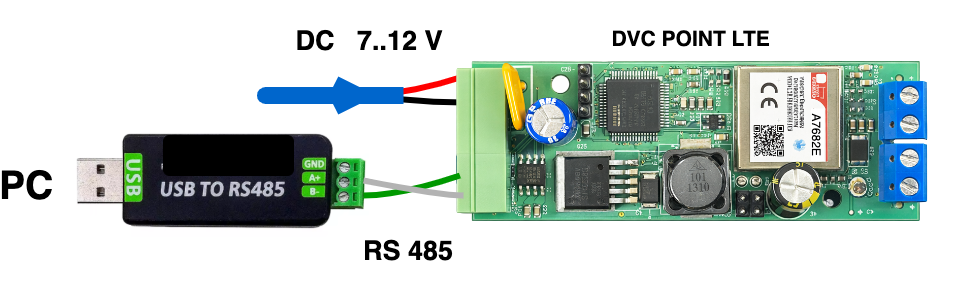
  1. Connect the modem to a computer using an RS-485 to USB interface as shown in Figure 1, then connect 12 V power.

  2. Open the DVC configurator program and send the following command to the modem via the RS-485 port:

:CMD{IPADDRPORT:"IP address","Port";}CRC:1234

Use this command to save the IP address and Port of your server.
After that, the configurator console will show confirmation of the saved IP address and Port.

Figure 1

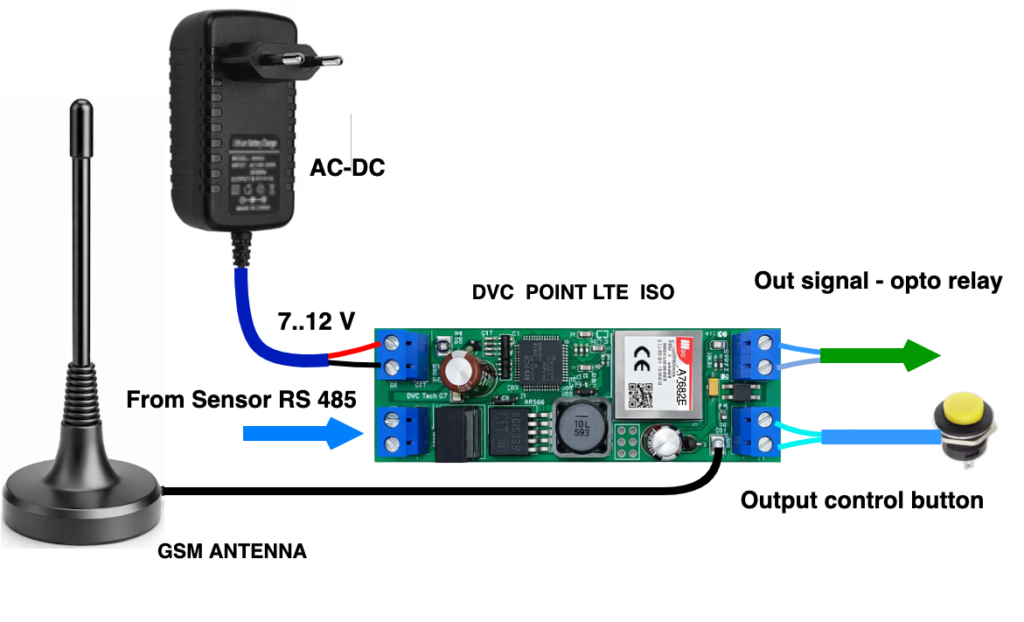
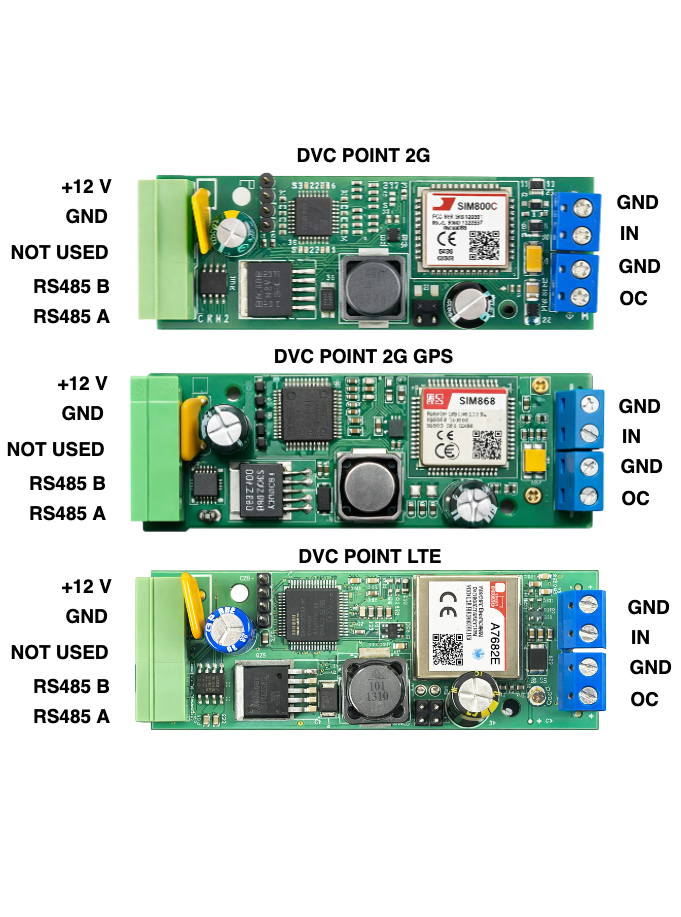
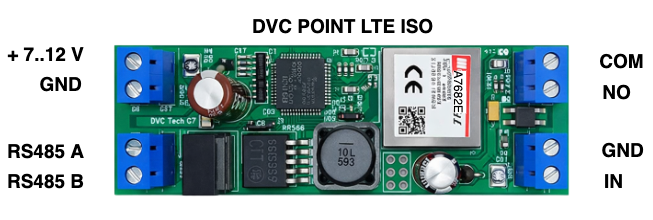
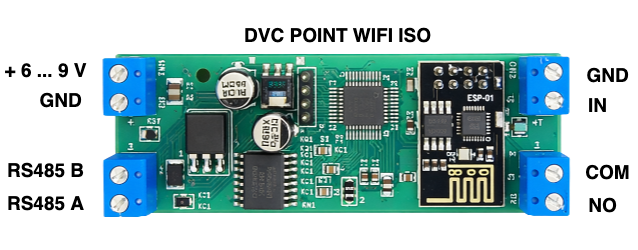
  1. Build the circuit as shown in Figure 2. Insert the SIM card and turn on the power. The pin description of DVC POINT modems is shown in Figure 3. When the modem connects to the server, the indicator starts blinking once every 2 seconds.

  2. Now the modem is ready to work. The connection with the server is established. You can connect, for example, a temperature sensor or an electricity meter to the RS-485 port and read its data from the server.

  3. If you send the command from the server
    :CMD{DOUT:1;}
    the output will close for 2 seconds. This signal can be used, for example, to open a barrier gate or to reset a sensor.

For detailed information about DVC POINT setup, follow the link:
https://division.business/modems-dvc-point-manual/

Figure 2

Figure. 3